
The Faculty of Arts has implemented a standardised approach to the structure, design and conventions used in our iLearn units. Our students usually take 4 units each semester. In the past, these units were all designed in different ways, with different blocks, assignments in different places and non standard naming conventions which led to confusion and uncertainty among students many years. By taking a students first approach to unit design, we create a familiar and easier experience for our students and make life easier for us as well.
The template has been progressively rolled out to all units in the Faculty of Arts. with all undergraduate units covered by 2024.
- For all new units, start with a blank Arts iLearn template when you create your unit in iTeach.
- For existing units, there are a few options:
- Create a new iLearn unit from the template and then import all of your content from a previous unit.
- Clone your existing unit and then import the template elements.
- Request a migration and let us help you with one of the above steps.
A preview version of the template is available and visible to all staff.
Elements of the template
Topic Zero is the name given to the top section of any iLearn page that is always visible when a student loads the unit.
Banner Image and Unit description - MANDATORY
The banner image contains a clean and simple image to represent the unit surrounded by Macquarie shard branding elements for consistency. The image should be public domain or creative commons, not be overly busy and be suitable as a simple visual anchor. Please contact us as in the image below with either some chosen images or ideas for imagery and we will add the branding and put it in your unit.
The unit description as it appears in the curriculum should be pasted below the banner image.
Unit guide link - MANDATORY
There must be a link to the unit guide in topic zero. This link must direct students to the official unit guide system of the University. There is never to be a pdf or word version of the unit guide anywhere in the unit as per University policy.
General Communication links - MANDATORY

All units should have:
Announcements forum - one way communication to students without option for students to reply
General Discussion forum (OPTIONAL) - open area for students to ask questions and discuss general topics
Contact Teaching Staff dialogue - a way to communicate with students privately initiated by student or teaching staff. This is preferred over direct email contact.
Nothing else - MANDATORY
There should be no other items placed in topic zero. All other items should be put into one of the modules below topic zero.
The Assessment section must be the first section in all iLearn units and never be renamed.
All information and items pertaining to assessment should go in this section including all tools such as turnitin links, blogs, workshops, databases etc. (but not weekly quizzes or weekly forums).
Assessment At A Glance - MANDATORY
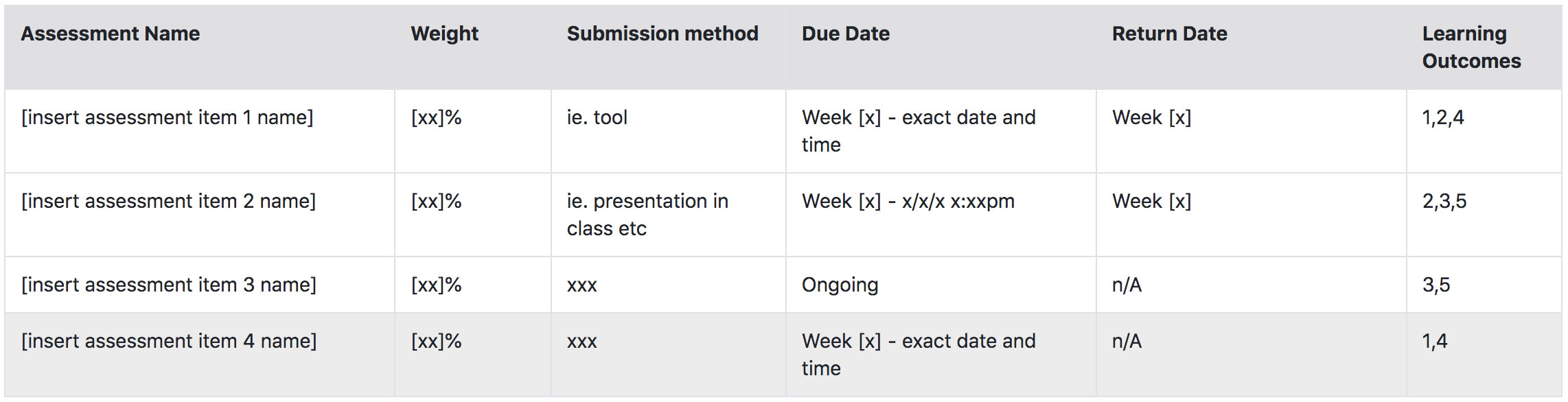
This styled table should contain all of the assessment tasks of a unit. Rows can be added or deleted as needed but the header row must remain as proscribed. Columns are not the be removed.
The assessment name, weight and learning outcomes should be entered exactly as they appear in the unit guide.
The submission method should be clear and obvious so that students know how to submit.
The due date should be clear and not change during the session. The return date is the date that students should expect to receive their marks and feedback for the tasks.
The learning outcomes should be entered as number values only as they appear in the unit guide.
Assessment items - MANDATORY
 Every assessment task in the unit must have its own section in the assessment section. This includes quizzes, exams and any other item listed in the unit guide as an assessment task. There are labels added to the template as placeholders for each task. Duplicate more if you need them. The text between and including the square brackets is to be changed to the name of the task as it appears in the unit guide and table above. Similarly, the text between and including the square brackets on the items below should also be changed to that title.
Brief and instructions - This page should be filled in and contain all the information and instructions for the task including submission instructions and rubric. The rubric can be entered into the preset table on this page or uploaded as a separate file.
Examples - There is an examples folder in the template for every assessment item to include exemplar submissions as per assessment policy. This can be removed for quizzes or exams where it is not possible but otherwise remain.
Submission tools - All Turnitin links, blogs, assessments, database tools etc. should be placed under the relevant item.
Other items - Any other documents or links pertaining to the task specifically should go here as well. Any other items added should be indented once to the right to match the other items for ease of reading the section.
General assessment resources - MANDATORY
This section comes pre-populated with both to a link to the academic integrity policy as well as the student guide for using iLearn assessment tools including Turnitin. You can add any other items the relate generally to all or multiple assessment tasks. Any items that relate to individual tasks only should be placed under that task rather than here.
The Unit Information section should contain all documents and information pertaining to the unit that do not belong in either the assessment section or weekly topics. Many items that users would have previously put into topic zero should go here.

Section description - MANDATORY
The section description has been pre-populated with a statement of credit points, overall time commitment and time per week. These numbers will need to be updated if the unit is worth a different number of credit points or if it is delivered in a different schedule to the standard 13 week semester.
The is also the basic prefix statement for learning outcomes and a list that should be updated with the unit learning outcomes as they appear in the unit guide. When adding another item to this list, rather than using the return key to go to a new line, hold shift and press return to get the formatting right.
Other documents - OPTIONAL
The template provides a basic unit schedule page as well as a page to provide information on how the unit has been designed (transparent pedagogy) and the modes it is delivered in. These documents are options.
Any other documents, labels or links can be included in the section including welcome videos, general resources and other resources not suitable to be placed elsewhere.
The Arts iLearn template includes a suggested, but OPTIONAL, weekly section layout. Working across many units in the Faculty, we have devised this layout to be the best fit for most of our units. Not all units use a weekly format, some are offered in block mode or thematically. This template should be flexible enough for any needs. Simply delete or rename the labels as required.
In simple terms, there are three distinct sections separated by labels with a intro blurb, icons for types of content and a weekly forum.

Weekly orientation text
As described in the screenshot to the right, A short orientation to the purpose of the section, the content and optional image banner help students to quickly and easily find their place each week and also makes revision easier. Simply edit the label that is already there. Use sub-label with caution as every item has already an icon. We do not want to "over-iconise" students' learning experience.
Main section labels
The three main pedagogical stages of the section are described by PREPARATION, ACTIVITIES and CONSOLIDATION. The brightly coloured full-width labels have been styled to break the section content into easy sections for the students. PREPARATION steps should be done before the lectures and/or tutorials, ACTIVITIES are the lectures and tutorials themselves (or commensurate activities for online students) and the CONSOLIDATION items are for after the main weekly tasks.
The text on these labels can be changed to suit however all text must be on one line only, in all caps and no other information be included on the label.
Content sub-labels
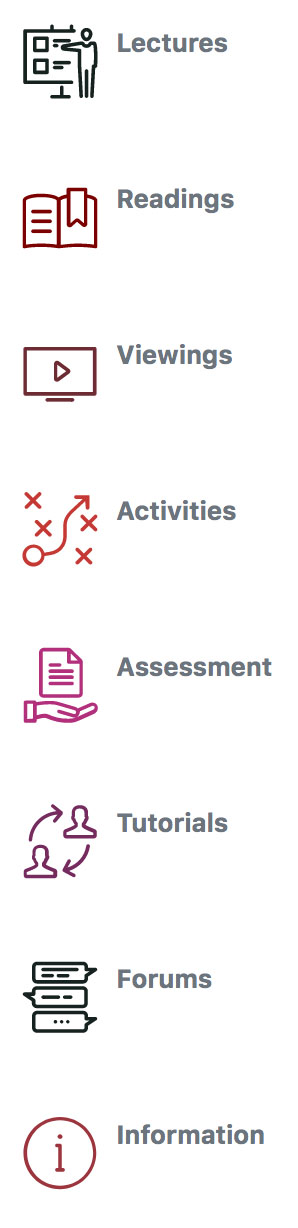
There are four basic sub-labels also added to the template for general commonly used subcategories of content. The icons attached to these sub-labels are built into iLearn and the full set can be seen on the left. They can be used in a variety of ways however, any use across a unit should be consistent.
As with the main labels, the text on these labels should be one line only and can be changed to suit the needs of individual units. Follow these instructions on how to use these icons if you wish to add them to other labels or activities yourself.
As mentioned above, keep in mind that each item in iLearn has already a generic icon. Do not overload the site with too many sub-labels.
Weekly forum
We strongly advise all units to include a weekly forum for students to discuss that week or section content. These can be instead of or as well as the general discussion forum in topic zero.
Indenting
Apart from the labels described above, all other items in iLearn are to be indented at least one space to the right as can be seen in the forum in the above screenshot. This is for page readability and can help students more easily scan down a page to a section and from that section to what they are looking for.
The template has been pre-populated with a set of both Mandatory and Optional blocks for all Arts units.

Mandatory blocks
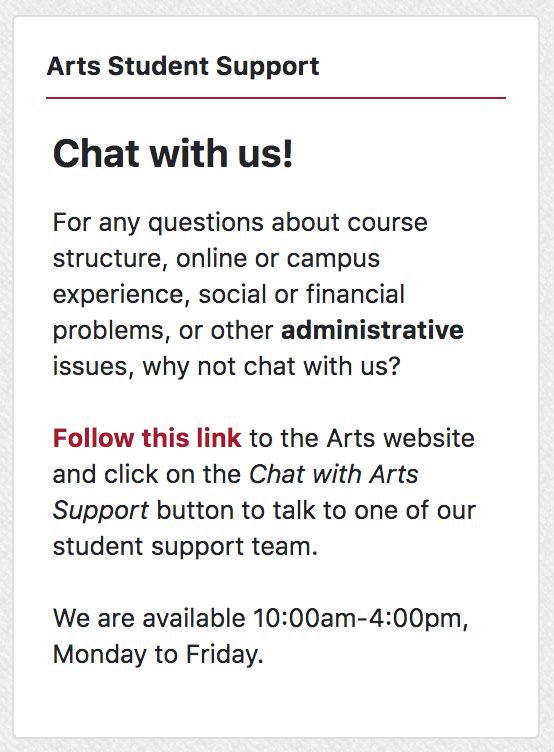
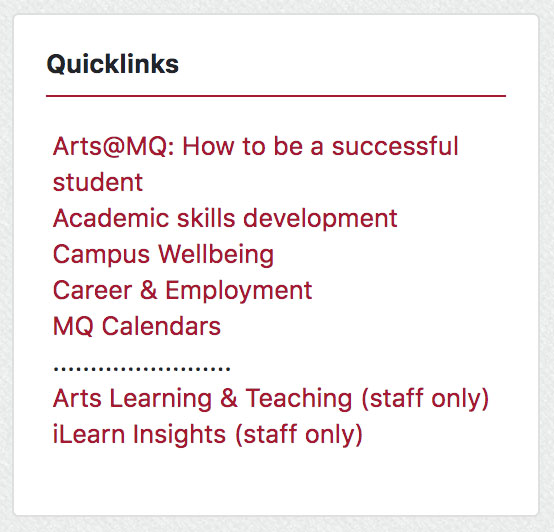
The Welcome to Country, Quicklinks and Arts Student Support blocks are both automatic and mandatory on all Arts iLearn units. They cannot be edited, deleted or moved.
As there was a variety of different approaches to Welcome to Country that were not consistent in message or accuracy, we have now consolidated to this standardised block as per University guidelines and in consultation with Indigenous members of our community. Other declarations of Welcome to Country in topic zero are no longer needed.
The Quicklinks and Arts Student Support blocks are basic sources of information and help for our students.
Optional blocks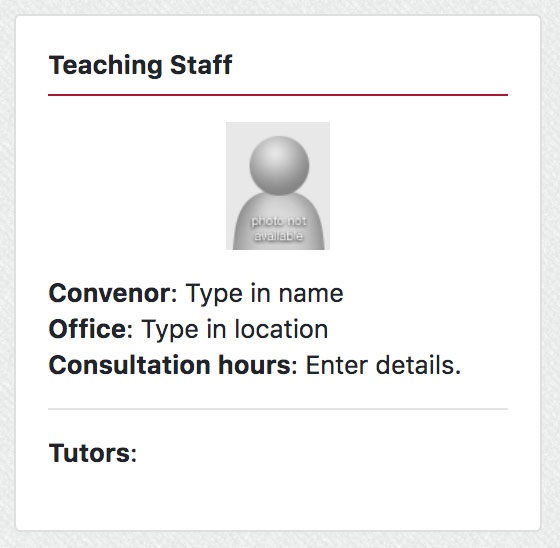
There are several other blocks included in the template that are suggested but can be moved, edited or deleted as desired. We do, however, strongly recommend filling in the Teaching Staff block with photos of staff and clear contact methods and hours. This is especially important for online students and should include both convenors and tutors where possible. Information on any guest lecturers should be included in the relevant section and not in this block.
Week 0 - Kickstart (optional)
Many of the Faculty of Arts units were part of the Kickstart project which created structured resources for students to engage with before the start of session. This entire section can be deleted if the unit does not have Kickstart resources already. We are not currently running any new development projects for Kickstart resources.
Teaching Staff Notes
There is a special section at the bottom of the template called Teaching Staff Notes that is, and must remain, hidden from students. This space in the unit is for ideas and reflections to improve the next running of this unit. This is also a space for handover notes and files and for sharing information with your Tutors /convenor. In particular, we recommend that you export any Turnitin rubrics you have used and put the .rbc files here.
Resources for styling your iLearn unit
This is another special section at the bottom of the template that is, and must remain, hidden from students. There are links to quick guides, explanations on how to use the labels and pre-made versions of all the sub labels that can be duplicated as needed.
Frequently Asked Questions
- Can I rename the 3 established sections in the weekly sections? YES
- Can I add new sections? For instance, I usually have a section for External/OUA students especially, as well as sections for listening practice and external resources, and there aren't any provided. YES
- Can I use my own images instead of the style icons? YES
- Can I change the names of the labels? I don't have lectures or tutorials YES
- Can I change the language that the section titles are written in? YES
- Can I remove labels from special weeks that don't follow the normal plans (e.g. test weeks?) YES